User Menu
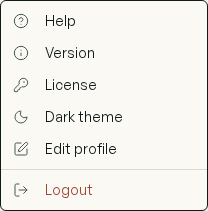
-
Help: Link to the PACS documentation.
-
Version: Window with the versions of the PACS DICOM libraries.
-
License: Window with the license data: customer name and URL, days to expiration, software and hardware identifiers, and enabled modules.
- Store: DICOM study storage.
- Worklist: Work list.
- Viewer: DICOM web viewer.
- Print SCP: DICOM print server.
- Print SCU: DICOM print client.
- Backup: Study backup.
- maxStudies: Maximum number of studies allowed. Use -1 for no limit.
-
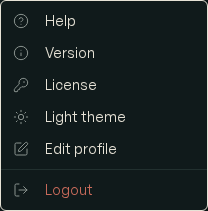
Light theme / Dark theme: Toggles between light and dark mode. The option shows the theme it will switch to: Dark theme when the interface is in light mode and Light theme when it is in dark mode.
-
Edit profile: User data configuration screen.
-
Logout: Closes the active session.
Account
-
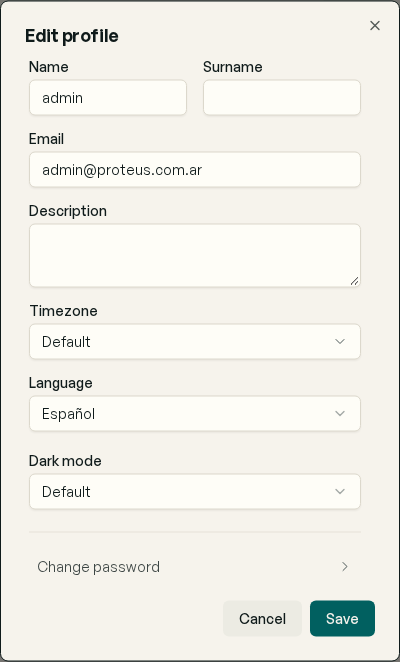
Name: User's first name.
-
Surname: User's last name.
-
Email: User's email address. The format is validated as you type; if it is not valid, an error message is shown below the field and saving is not allowed until it is corrected.
-
Description: Informational description about the user.
-
Timezone: Sets the interface time zone. With Default, the web page uses the system's time zone; if needed, another one can be forced. The list includes a search box (Search timezone…) to filter the available zones.
-
Language: Sets the interface language. The options are Default, Español and English. With Default, the web page follows the language set by the browser. The language also determines the date format used across the page: in Español dates are shown as dd/mm/yyyy and in English as mm/dd/yyyy.
-
Dark mode: Sets the interface theme. The options are Default, Light theme and Dark theme. With Default, the web page uses the mode set by the browser.
-
Change password: Allows modifying the user's password.
It is recommended to change the initial administrator password to a more secure one.